
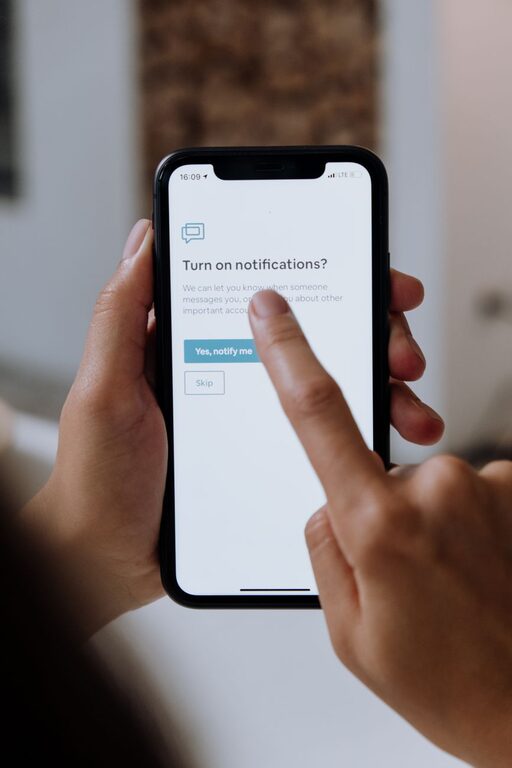
In today’s digital world, notifications are everywhere — from social media and email to messaging apps and news alerts. While these alerts serve to keep us informed, they can also be overwhelming and distracting. Unchecked notifications can interrupt your focus, contribute to stress, and blur the line between work and personal time. Setting clear boundaries with notifications is an essential step toward improving your productivity and overall well-being.
In this post, we’ll explore practical tips for managing notifications thoughtfully, so you stay connected without feeling controlled.
Why Setting Boundaries with Notifications Matters
Notifications are designed to capture your attention, but constant interruptions can reduce your efficiency and increase stress levels. By establishing boundaries:
– You gain better control over your time.
– You reduce distractions and improve focus.
– You protect your personal time and mental space.
– You ensure that important messages aren’t lost in the noise.
1. Audit Your Notifications Regularly
Start by reviewing which apps and services send you notifications. Most devices allow you to see a list of all apps with notification permissions.
– Identify which notifications are essential (work emails, calendar reminders).
– Note which are less critical or unnecessary (game updates, promotional alerts).
– Disable or limit the less important notifications.
This audit helps reduce noise and focuses your attention on alerts that truly matter.
2. Customize Notification Settings Per App
Instead of a blanket approach, tailor your settings based on app importance:
– Priority notifications: Allow alerts from apps like calendar, messaging for close contacts, and work tools.
– Non-urgent: Mute or limit notifications for social media, news, and entertainment apps.
– Silent or banner-only: Some alerts can appear silently without sounds or vibrations, reducing disruption.
Adjust sound, vibration, and display preferences to fit how urgently you need to respond.
3. Use Do Not Disturb or Focus Modes
Most smartphones and computers offer features like “Do Not Disturb” or “Focus Mode” to temporarily block notifications.
– Schedule these modes during focused work periods or at night.
– Allow exceptions for key contacts or urgent apps.
– Use automatic triggers based on location, time, or app activity.
This helps create blocks of uninterrupted time to concentrate or rest.
4. Set Specific Times to Check Notifications
Instead of reacting instantly to every ping, designate set times to review messages and alerts.
– For example, check email three times daily instead of constantly.
– Use breaks to glance at social media instead of throughout the day.
– This reduces the habit of compulsive checking and keeps interruptions predictable.
5. Manage Notifications Across Devices
If you use multiple devices, notifications can duplicate and become even more distracting.
– Adjust settings so notifications appear only on your primary device.
– Turn off notifications on secondary devices during work or rest hours.
– This avoids repeated interruptions and confusion.
6. Use Notification Summary Features
Some operating systems offer a “notification summary” or similar feature that collects non-urgent alerts and delivers them in batches.
– Enables you to focus on important messages immediately.
– Lets you review other notifications at convenient times.
– Reduces constant distractions while ensuring nothing important is missed.
7. Communicate Your Boundaries
Let colleagues, friends, and family know your preferred communication times or channels.
– Share when you will be available to respond.
– Encourage urgent messages to be sent via calls or marked appropriately.
– This sets expectations and respects your boundaries.
8. Practice Mindfulness Around Notifications
Be intentional about how and when you engage with notifications.
– Avoid checking immediately after receiving an alert.
– Pause to ask whether a notification requires your immediate attention.
– This helps break automatic reaction patterns and reduces stress.
9. Regularly Reassess Your Settings
Your needs and priorities evolve, so revisit your notification preferences periodically.
– Adjust as new apps or roles emerge.
– Update based on changes in workflow or personal habits.
– Keep the system aligned with your current lifestyle.
—
Final Thoughts
Managing notifications effectively is a powerful way to reclaim your time and attention. By auditing your alerts, customizing settings, scheduling focus time, and communicating boundaries, you can create a more balanced relationship with your digital devices.
Try implementing these tips gradually, and notice the positive impact on your productivity and peace of mind. Remember, notifications should serve you — not the other way around.
—
If you found this article helpful, feel free to share your own notification management tips in the comments below!

Related Posts